Repair shop software.
Free. No upsells.
OpenRepairPOS runs your tickets, point of sale, inventory, invoices and reports. Deploy it to your own Cloudflare account in one click and connect Claude or ChatGPT in about 30 seconds. There's no paid plan to upgrade to.
- Every feature included
- Unlimited users
- No credit card
- Open source (MIT)
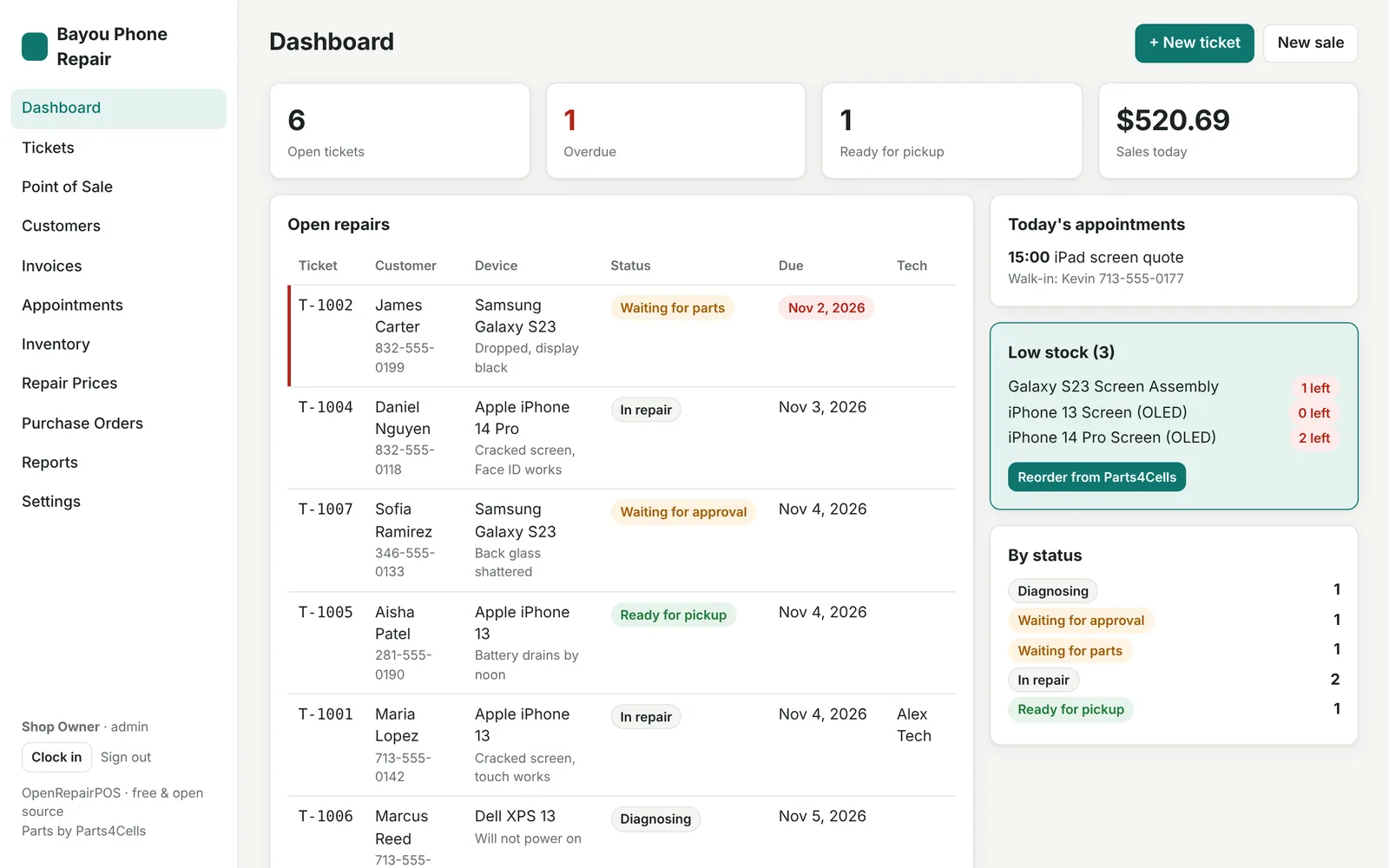
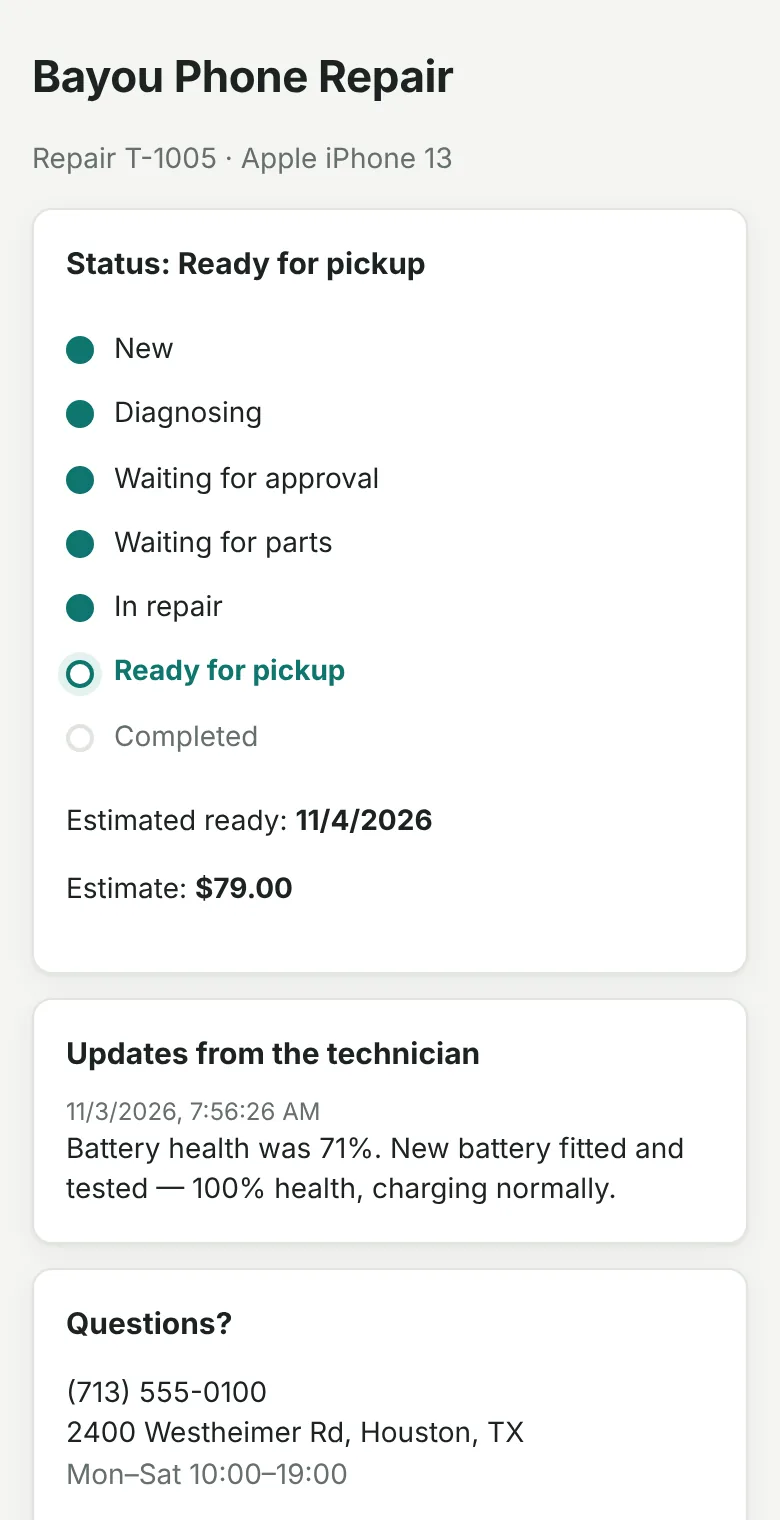
Everything included
The tools paid repair software charges for, in one free app
No starter tier, no add-ons to unlock. If it's in OpenRepairPOS, every shop has it.
Repair tickets
Check in devices with IMEI, passcode, checklists, signature and deposit. Board or list view, overdue alerts.
Point of sale
Barcode scanning, discounts, tax, cash, card, transfer and store credit. Invoices in one click.
Inventory
Low-stock alerts, serial numbers, stock counts, purchase orders and a Parts4Cells reorder list.
Customer updates
A private tracking link for every repair, plus automatic text or email when it's ready.
Profit reports
Profit and margin by repair type, daily sales, top sellers, technician hours and commission.
Unlimited team
Tech, manager and admin roles, job timer, clock in/out. No per-user fees.
Claude & ChatGPT
Run the shop by chat: check in a repair, mark it ready, reorder parts, ask for this week's profit.
Webhooks & API
Send events to Zapier, Make or n8n, or build on the full REST API.
No upsell
One version. Everything in it. $0.
Most repair shop software charges per store, per month, then sells add-ons on top. OpenRepairPOS has no paid tier, so there's nothing to upsell you to.
The only costs are things you'd buy from someone else anyway, and only if you want them: text messages (Twilio), email sending (Resend), or your own domain name. Hosting is free on Cloudflare's Workers Free plan for a typical shop (100,000 requests a day).
Is it really free? Read the details →- All features, no add-ons
- Unlimited users and tickets
- Claude & ChatGPT connection
- Runs in your own Cloudflare account
- Your data, your account
- Open source: read, change and keep the code
Claude & ChatGPT
Connect Claude or ChatGPT in about 30 seconds
OpenRepairPOS has a built-in MCP server, the standard way AI assistants connect to apps. Paste one link and run your shop by chat, from your phone too.
Repair
POS
Create a key
In OpenRepairPOS: Settings → AI & API → Create key. Copy the link.
Paste it into Claude or ChatGPT
Claude: Customize → Connectors → Add custom connector. ChatGPT: add it as an app in Developer mode.
Ask in plain English
The assistant asks before it changes anything.
"About 30 seconds" means once your shop is set up and, for ChatGPT, Developer mode is on. Plans: Claude Help Center (Free plan: one custom connector); ChatGPT details in the OpenAI Help Center.
How it compares
OpenRepairPOS vs. a typical paid repair POS
We compared against the published plans of one of the most widely used paid repair-shop systems. Prices change; these are what its own pages listed on November 2, 2026.
| What you get | OpenRepairPOS | Typical paid repair POS |
|---|---|---|
| Price | $0 | From $99/store/month ($79 billed annually) |
| Users on the entry plan | Unlimited | 5 per location |
| Store credit | Included | Paid add-on on the entry plan |
| AI | Connect your own Claude or ChatGPT, free | Paid AI phone receptionist, from $99/store/month |
| Where your data lives | Your own Cloudflare account | The vendor's cloud |
| Source code | Open (MIT): read it, change it, keep it | Closed |
| Card processing built in | We're working on it; today you record payments from your own terminal | Yes |
| Loyalty, gift cards, online booking, kiosk | We're working on it | Yes (some as paid add-ons) |
| Support | Community (GitHub) | Vendor onboarding and support team |
If a figure here is out of date, tell us and we'll correct it.
One-click deploy
Running in your own Cloudflare account in about 2 minutes
No download, no server, nothing to install on your computer. Cloudflare runs it for you, with HTTPS, on their free plan.
Deploy freeHow the button works: Cloudflare documentation.
Click "Deploy to Cloudflare"
From this site or the GitHub page.
Sign in to Cloudflare and GitHub
Free accounts. Cloudflare copies the code into your GitHub, then builds it from there.
Click Deploy
Cloudflare creates the app and its database: one shop, one private copy.
Open your address and create your account
Do this straight away: the first person to open a new install becomes its owner. Tick "Add sample data" to explore first.
Inside the app
Built for the counter and the bench
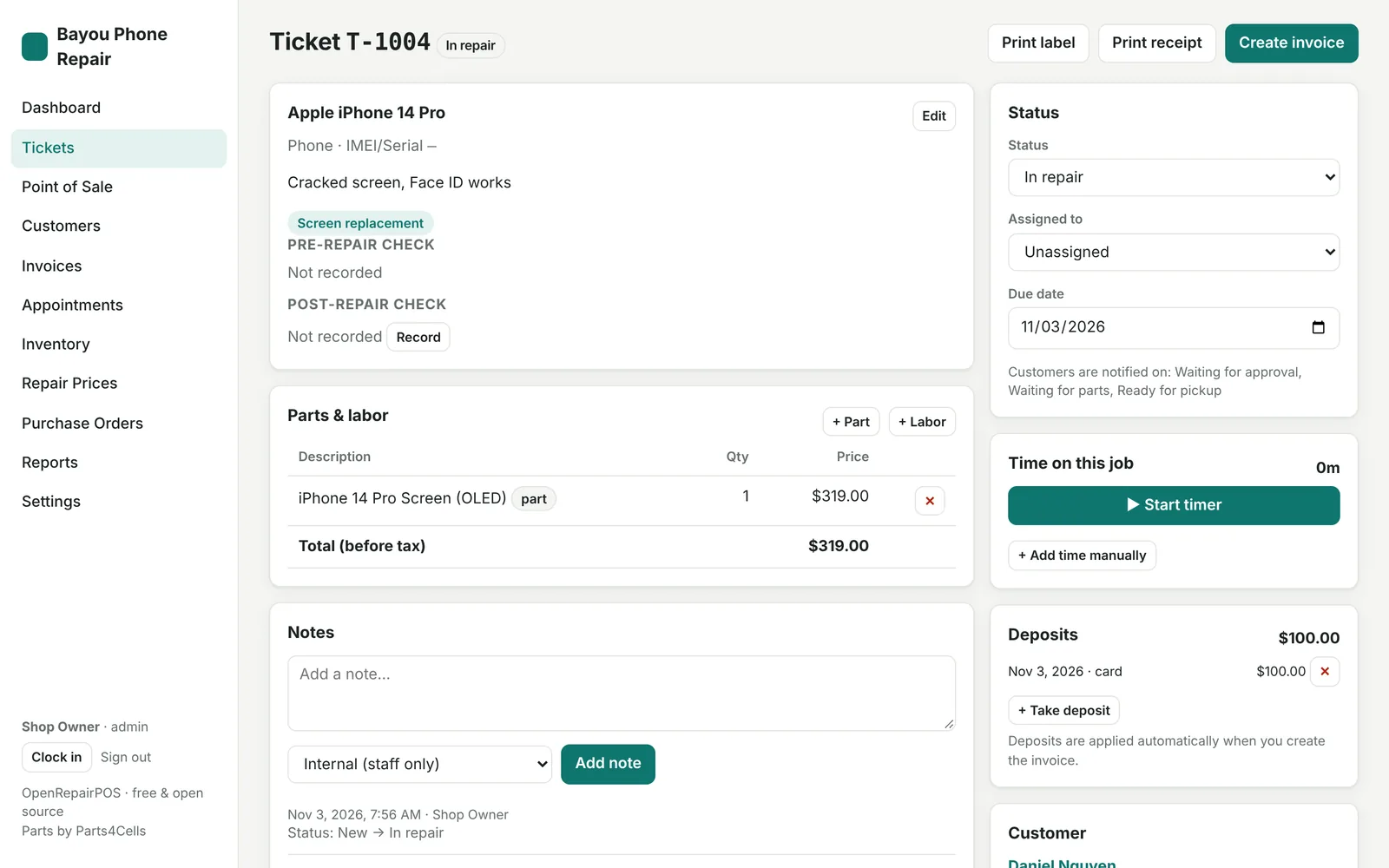
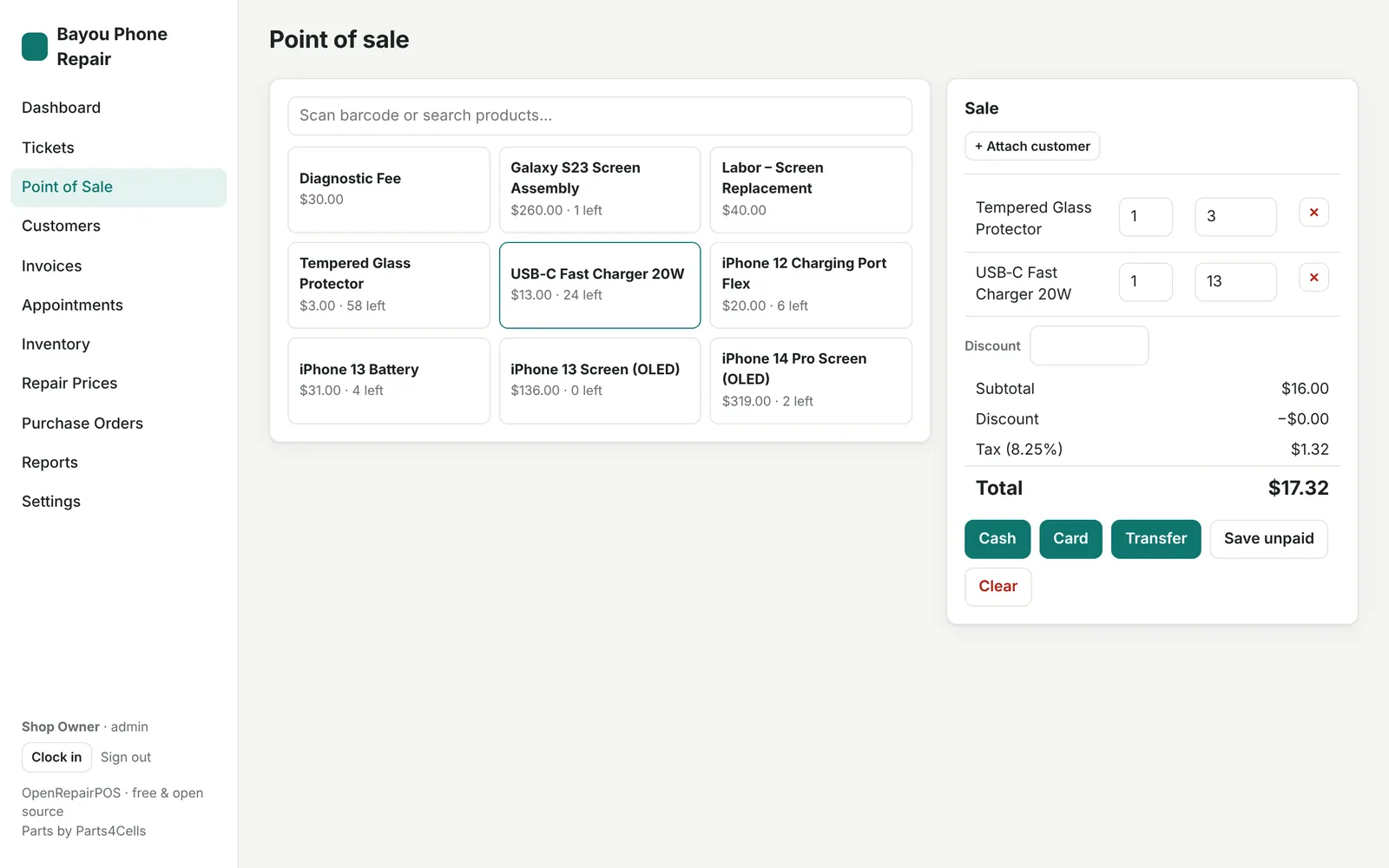
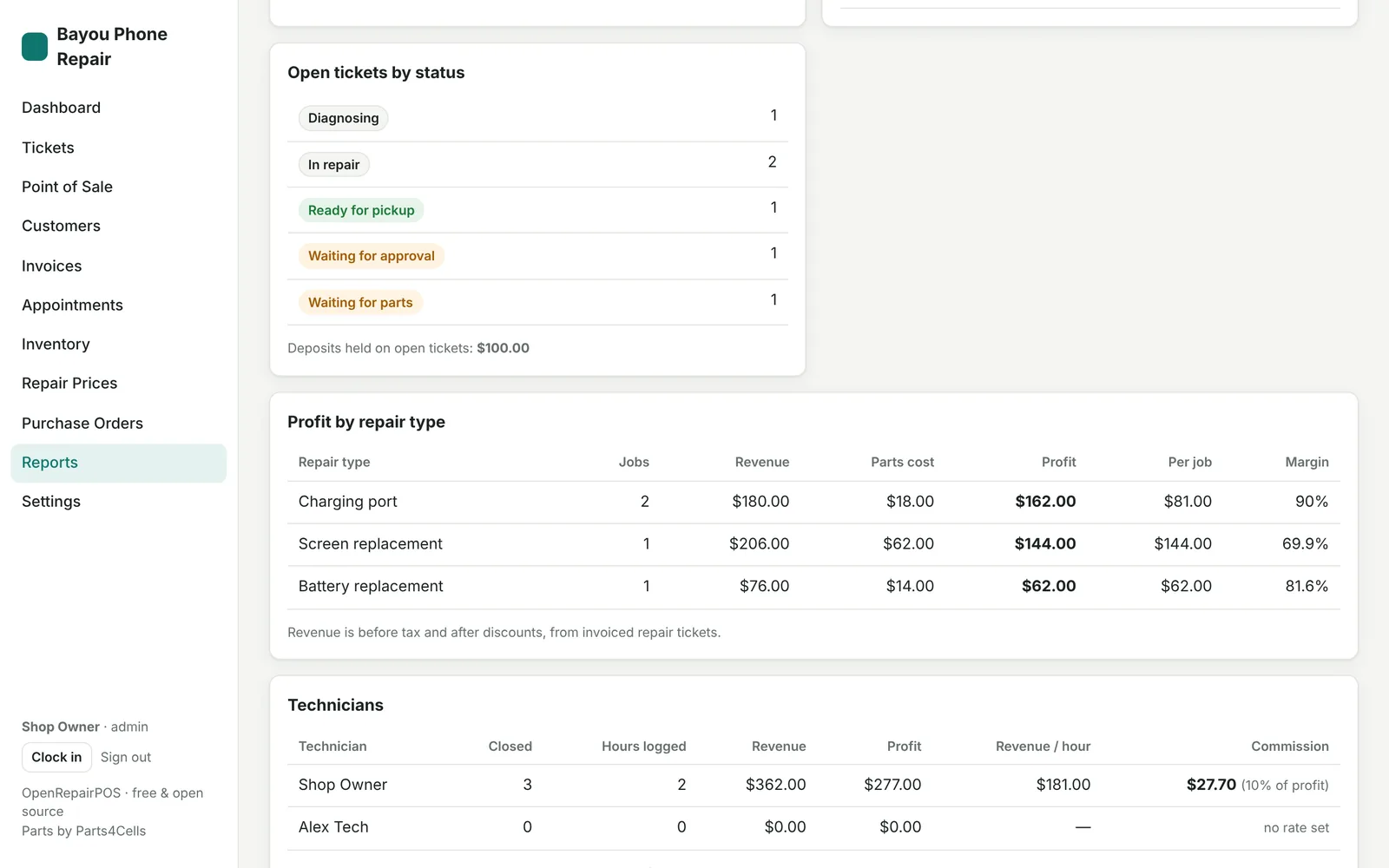
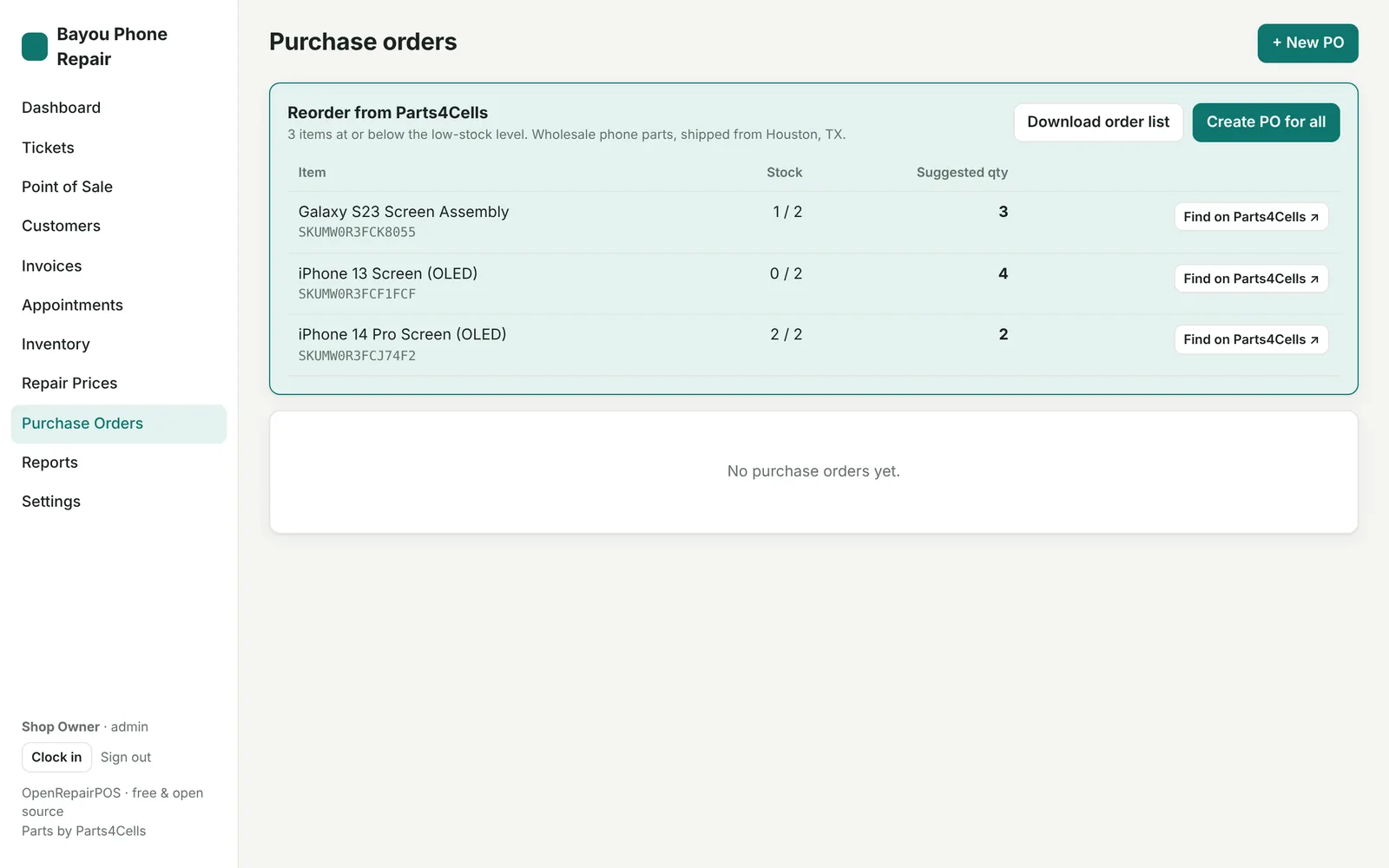
Screenshots of OpenRepairPOS 0.5.0 with sample data. Names and numbers are made up.
Questions shop owners ask
Is OpenRepairPOS really free?
Yes. There are no paid plans, add-ons, per-user or per-ticket fees: every feature is in the free version. A typical shop runs it on Cloudflare's Workers Free plan (100,000 requests a day). Optional extras you pay for directly are SMS (Twilio), email sending (Resend or your own email server) and your own domain name.
Do I need to install anything on my computer?
No. OpenRepairPOS runs in your web browser on any PC, Mac, tablet or phone. The one-click deploy puts it in your own Cloudflare account, so there is no server for you to look after.
What do I need to set it up?
A free Cloudflare account and a free GitHub account. Click Deploy to Cloudflare, sign in, click Deploy, then open your new address and create your owner account. It takes about two minutes.
Who owns my shop's data?
You do. Your tickets, customers and sales are stored in your own Cloudflare account. Nobody else, including the OpenRepairPOS project, has access to them.
How do I connect Claude or ChatGPT?
In OpenRepairPOS go to Settings → AI & API → Create key and copy the link. In Claude, add it as a custom connector (Customize → Connectors → Add custom connector); this works on every Claude plan, and the Free plan allows one custom connector. In ChatGPT, add it as an app with Developer mode, which is a beta feature on paid plans.
Does it take card payments?
Not directly. OpenRepairPOS records cash, card, bank transfer and store-credit payments, but card processing happens on your own card terminal. Built-in card terminals and payment links are on the roadmap.
Why is it free?
OpenRepairPOS is an independent open-source project. Each shop runs its own copy in its own Cloudflare account, so there are no servers for the project to pay for and nothing to charge for. The project has no ads, affiliate fees or paid plans.
What are you working on next?
We're working on automatic updates, online booking for customers, card terminals and payment links, loyalty points, gift cards, a self check-in kiosk, buyback/trade-in, multiple locations, QuickBooks and Xero sync, and more. These are not available yet; the Features page lists everything in progress.
Try it with sample data in two minutes
Deploy to your free Cloudflare account, tick "Add sample data", and click around. Delete it any time.